Gallery - Laravel Blade
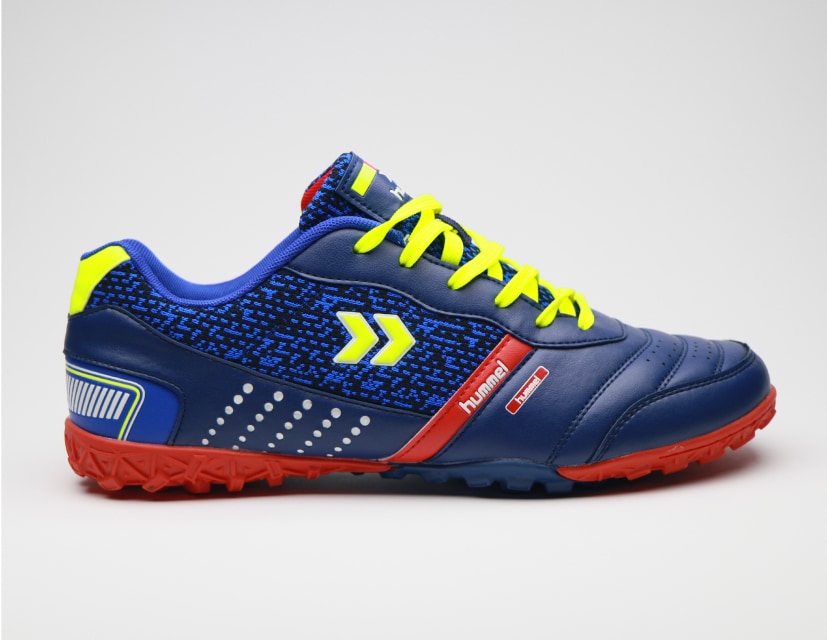
Use the gallery component to show multiple images in a responsive grid layout with support for different column counts and masonry layouts.
Default Gallery
Blade code
<x-fwb.gallery :grid="3">
    <x-fwb.gallery.image src="https://flowbite.s3.amazonaws.com/docs/gallery/square/image-1.jpg" alt="" />
    <x-fwb.gallery.image src="https://flowbite.s3.amazonaws.com/docs/gallery/square/image-2.jpg" alt="" />
    <x-fwb.gallery.image src="https://flowbite.s3.amazonaws.com/docs/gallery/square/image-3.jpg" alt="" />
    <x-fwb.gallery.image src="https://flowbite.s3.amazonaws.com/docs/gallery/square/image-4.jpg" alt="" />
    <x-fwb.gallery.image src="https://flowbite.s3.amazonaws.com/docs/gallery/square/image-5.jpg" alt="" />
    <x-fwb.gallery.image src="https://flowbite.s3.amazonaws.com/docs/gallery/square/image-6.jpg" alt="" />
    <x-fwb.gallery.image src="https://flowbite.s3.amazonaws.com/docs/gallery/square/image-7.jpg" alt="" />
    <x-fwb.gallery.image src="https://flowbite.s3.amazonaws.com/docs/gallery/square/image-8.jpg" alt="" />
    <x-fwb.gallery.image src="https://flowbite.s3.amazonaws.com/docs/gallery/square/image-9.jpg" alt="" />
</x-fwb.gallery>
Masonry Grid
Blade code
<x-fwb.gallery :grid="4" :masonry="true">
    <div class="grid gap-4">
        <div><x-fwb.gallery.image src="https://flowbite.s3.amazonaws.com/docs/gallery/masonry/image-1.jpg" alt="" /></div>
        <div><x-fwb.gallery.image src="https://flowbite.s3.amazonaws.com/docs/gallery/masonry/image-2.jpg" alt="" /></div>
        <div><x-fwb.gallery.image src="https://flowbite.s3.amazonaws.com/docs/gallery/masonry/image-3.jpg" alt="" /></div>
    </div>
    <div class="grid gap-4">
        <div><x-fwb.gallery.image src="https://flowbite.s3.amazonaws.com/docs/gallery/masonry/image-4.jpg" alt="" /></div>
        <div><x-fwb.gallery.image src="https://flowbite.s3.amazonaws.com/docs/gallery/masonry/image-5.jpg" alt="" /></div>
        <div><x-fwb.gallery.image src="https://flowbite.s3.amazonaws.com/docs/gallery/masonry/image-6.jpg" alt="" /></div>
    </div>
    <div class="grid gap-4">
        <div><x-fwb.gallery.image src="https://flowbite.s3.amazonaws.com/docs/gallery/masonry/image-7.jpg" alt="" /></div>
        <div><x-fwb.gallery.image src="https://flowbite.s3.amazonaws.com/docs/gallery/masonry/image-8.jpg" alt="" /></div>
        <div><x-fwb.gallery.image src="https://flowbite.s3.amazonaws.com/docs/gallery/masonry/image-9.jpg" alt="" /></div>
    </div>
    <div class="grid gap-4">
        <div><x-fwb.gallery.image src="https://flowbite.s3.amazonaws.com/docs/gallery/masonry/image-10.jpg" alt="" /></div>
        <div><x-fwb.gallery.image src="https://flowbite.s3.amazonaws.com/docs/gallery/masonry/image-11.jpg" alt="" /></div>
        <div><x-fwb.gallery.image src="https://flowbite.s3.amazonaws.com/docs/gallery/masonry/image-12.jpg" alt="" /></div>
    </div>
</x-fwb.gallery>
Featured Image
Blade code
<div class="grid gap-4">
    <div>
        <x-fwb.gallery.image src="https://flowbite.s3.amazonaws.com/docs/gallery/square/image-1.jpg" alt="" />
    </div>
    <x-fwb.gallery :grid="5">
        <x-fwb.gallery.image src="https://flowbite.s3.amazonaws.com/docs/gallery/square/image-2.jpg" alt="" />
        <x-fwb.gallery.image src="https://flowbite.s3.amazonaws.com/docs/gallery/square/image-3.jpg" alt="" />
        <x-fwb.gallery.image src="https://flowbite.s3.amazonaws.com/docs/gallery/square/image-4.jpg" alt="" />
        <x-fwb.gallery.image src="https://flowbite.s3.amazonaws.com/docs/gallery/square/image-5.jpg" alt="" />
        <x-fwb.gallery.image src="https://flowbite.s3.amazonaws.com/docs/gallery/square/image-6.jpg" alt="" />
    </x-fwb.gallery>
</div>
Quad Gallery
Blade code
<x-fwb.gallery :grid="2" gap="gap-2">
    <x-fwb.gallery.image src="https://flowbite.s3.amazonaws.com/docs/gallery/square/image-1.jpg" alt="" />
    <x-fwb.gallery.image src="https://flowbite.s3.amazonaws.com/docs/gallery/square/image-2.jpg" alt="" />
    <x-fwb.gallery.image src="https://flowbite.s3.amazonaws.com/docs/gallery/square/image-3.jpg" alt="" />
    <x-fwb.gallery.image src="https://flowbite.s3.amazonaws.com/docs/gallery/square/image-4.jpg" alt="" />
</x-fwb.gallery>
Gallery with Slider
Blade code
<x-fwb.carousel id="gallery-carousel" :slide="true">
    <div class="hidden duration-700 ease-in-out" data-carousel-item>
        <img src="https://flowbite.s3.amazonaws.com/docs/gallery/square/image-1.jpg" class="absolute block w-full -translate-x-1/2 -translate-y-1/2 top-1/2 left-1/2" alt="Gallery Slide 1">
    </div>
    <div class="hidden duration-700 ease-in-out" data-carousel-item="active">
        <img src="https://flowbite.s3.amazonaws.com/docs/gallery/square/image-2.jpg" class="absolute block w-full -translate-x-1/2 -translate-y-1/2 top-1/2 left-1/2" alt="Gallery Slide 2">
    </div>
    <div class="hidden duration-700 ease-in-out" data-carousel-item>
        <img src="https://flowbite.s3.amazonaws.com/docs/gallery/square/image-3.jpg" class="absolute block w-full -translate-x-1/2 -translate-y-1/2 top-1/2 left-1/2" alt="Gallery Slide 3">
    </div>
    <div class="hidden duration-700 ease-in-out" data-carousel-item>
        <img src="https://flowbite.s3.amazonaws.com/docs/gallery/square/image-4.jpg" class="absolute block w-full -translate-x-1/2 -translate-y-1/2 top-1/2 left-1/2" alt="Gallery Slide 4">
    </div>
    <div class="hidden duration-700 ease-in-out" data-carousel-item>
        <img src="https://flowbite.s3.amazonaws.com/docs/gallery/square/image-5.jpg" class="absolute block w-full -translate-x-1/2 -translate-y-1/2 top-1/2 left-1/2" alt="Gallery Slide 5">
    </div>
</x-fwb.carousel>
Component Properties
Gallery x-fwb.gallery
| Prop |
Type |
Default |
Description |
| grid |
int |
3 |
Number of columns in the grid layout (applies at md breakpoint and above). |
| gap |
string |
gap-4 |
Tailwind CSS gap class for spacing between grid items. |
| masonry |
bool |
false |
Enable masonry-style layout (requires nested column divs in slot content). |
Gallery Image x-fwb.gallery.image
| Prop |
Type |
Default |
Description |
| src |
string |
'' |
The image source URL. |
| alt |
string |
'' |
The image alt text. |